How to Set Up Domains and Mailboxes for Cold Email Outreach (Complete Guide)
Cold email is one of the most powerful ways to reach your target audience, if done right. But before you even send your first outreach message, you must properly set up your domains and mailboxes to avoid getting flagged as spam or hurting your main domain’s reputation.
In this guide, we’ll walk you through:
Choosing the right domains for cold email
Configuring SPF, DKIM, and DMARC
Setting up mailboxes on Google Workspace, Outlook, or SMTP
Warming up those mailboxes for optimal deliverability
Step 1: Buy Lookalike Domains (Stick to.com Versions Only)
Never send cold emails from your main domain (e.g., thynkgrowth.com). Instead, buy alternate.com domains that are similar to your original but distinct enough to isolate your reputation.
✅ Examples:
If your main domain is thynkgrowth.com, buy:
thynkgrowthhq.comthynkgrowthteam.com
If your main domain is growthhub.com, buy:
growthhubpro.comgrowthhubnow.com
Why.com domains only?.com is the most trusted and widely recognized domain extension. Avoid .co, .io, or domains with hyphens, as they can lower trust and affect deliverability.
Where to buy domains:
🔁 Bonus Tip: Redirect Cold Email Domains to Your Main Site
Even though you’re sending emails from alternate domains, it’s a good practice to redirect those domains to your primary site (`thynkgtm.co`). That way, if someone types the cold domain into their browser, they land on your real website.
Step 2: Set Up SPF, DKIM, and DMARC
Once you've bought the domains, it’s time to secure them and improve their email-sending credibility with DNS authentication protocols.
✅ SPF (Sender Policy Framework)
This tells recipient servers which IP addresses are allowed to send email from your domain.
Example SPF record for Google Workspace:
Record Type | TXT |
Host Name | @ |
Value | v=spf1 include:_spf.google.com ~all |
TTL | Auto |
✅ DKIM (DomainKeys Identified Mail)
Adds a cryptographic signature to your email headers to confirm authenticity.
You’ll generate DKIM keys in your email provider (e.g., Google or Outlook) and add the public key as a DNS TXT record.
✅ DMARC (Domain-based Message Authentication, Reporting & Conformance)
Instructs receiving servers on what to do with unauthenticated mail (e.g., none, quarantine, or reject).
Example DMARC record for Google Workspace:
Record Type | TXT |
Host Name | _dmarc.example.com |
Value | v=DMARC1; p=none; rua=mailto:[email protected], mailto:[email protected]; pct=100; adkim=s; aspf=s |
TTL | Auto |
*Replace example.com with actual domain name
Important: Add all these records via your DNS provider’s dashboard (Namecheap, GoDaddy, etc.). Without them, your emails are more likely to be flagged as spam.
Step 3: Create 3 to 4 Mailboxes Per Domain
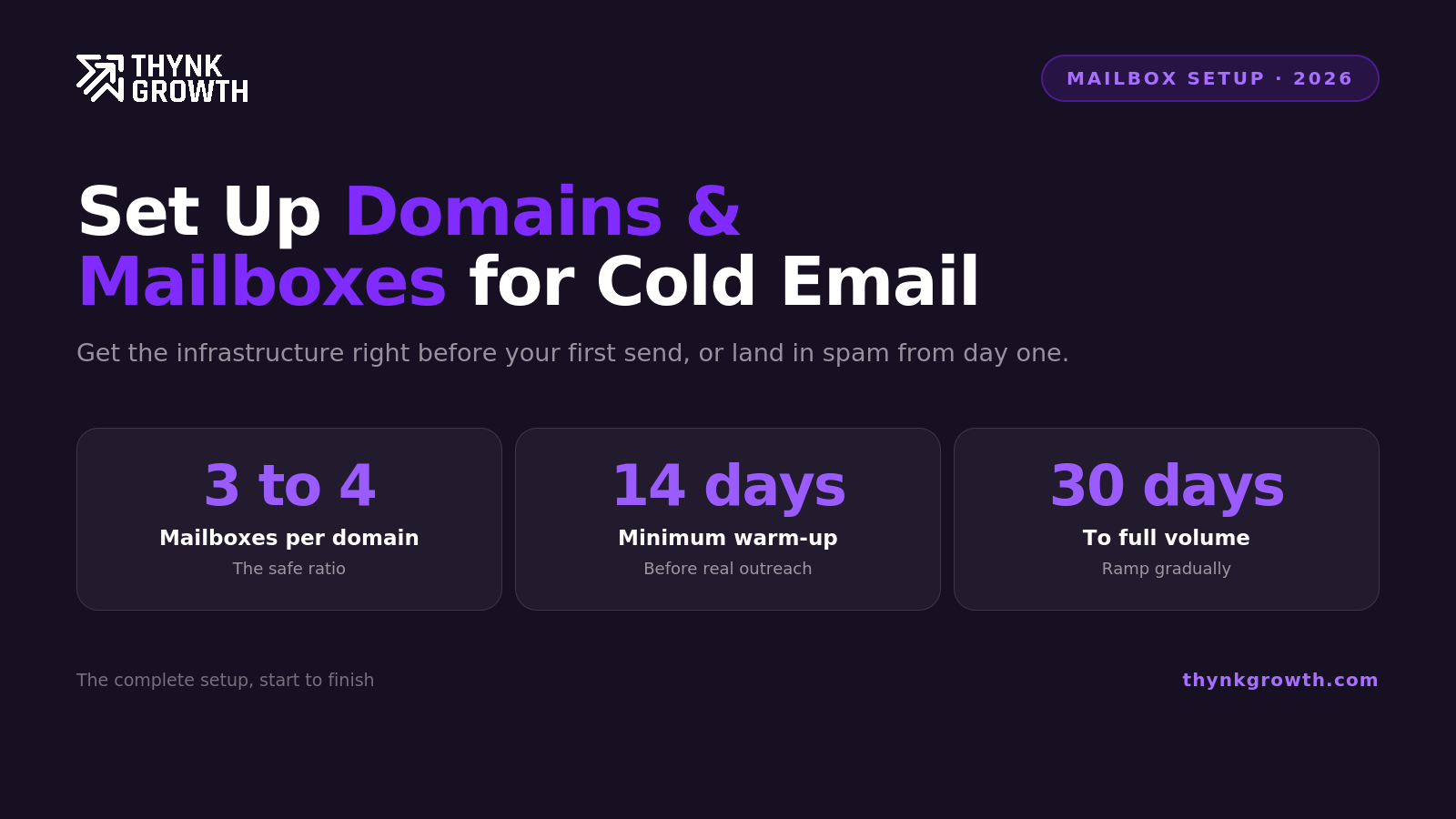
To keep your sending volume natural and maintain a good sender reputation, create no more than 3 to 4 mailboxes per domain.
Recommended platforms:
Google Workspace
Microsoft Outlook (Microsoft 365)
Custom SMTP
Email examples:
These mailboxes will later be used for sending outreach emails, but not until they're properly warmed up.
Step 4: Warm Up Your Mailboxes (14+ Days)
Never start cold emailing immediately.
New mailboxes need to be warmed up to build trust with email providers like Gmail and Outlook. Warming up simulates real email activity, sending, receiving, getting replies, and avoiding spam flags.
How long should you warm up?
At least 14 days, but ideally 21 to 30 days if the domain is brand new.
Best Tools to Warm Up Mailboxes Automatically
Manual warm-up takes time and effort. Fortunately, these tools automate the process and integrate seamlessly with Gmail, Outlook, or SMTP.
✅ Smartlead
AI-powered outreach platform with automatic warm-up, email rotation, and inbox management.
✅ Lemlist
Cold email and Multi-Channel outreach platform that includes a robust email warm-up engine and deliverability tracking.
✅ Instantly
Built for scale, offers warm-up, blacklist monitoring, and inbox health scores for high-volume outreach.
These tools:
Send emails to verified warm-up networks
Automatically get replies and engagement
Remove emails from spam folders
Gradually increase sending volume
🔄 Summary Checklist
Step | Description |
|---|---|
🛒 Buy domains | Lookalike.com domains only, no hyphens |
🔁 Redirect | Set up redirects to your primary domain |
🔐 Set DNS | Configure SPF, DKIM, and DMARC |
📩 Create mailboxes | Limit to 3 to 4 mailboxes per domain |
🔥 Warm up | Use tools like Smartlead, Lemlist, or Instantly for 14+ days of warmup |
📈 Final Thoughts
Getting your cold email infrastructure right isn't optional, it’s the foundation of high deliverability and inbox placement. With the right domain strategy, proper authentication (SPF, DKIM, DMARC), and automated warm-up, you’re setting yourself up for long-term success in cold outreach.
Need Help Setting This Up?
At ThynkGrowth, we specialize in building high-converting cold outreach systems from the ground up.
With our Cold GTM Infra Setup Plan, we not only handle your domain and mailbox setup but also help you build your entire GTM tool stack tailored for outbound success.
Whether you're starting from scratch or looking to scale your outreach, we’ll get your GTM email engine up and running the right way.
Get in touch with us to launch your GTM system.
FAQ
How many domains and mailboxes do I need for cold email?
Run about 3 mailboxes per domain, and around 30 mailboxes across 10 domains for a serious motion. That supports roughly 450 emails per day at 15 per mailbox.
Should I use my main company domain for cold email?
No. Always use separate secondary domains with redirects, so any deliverability issues never touch your primary domain.
How long does it take to warm up new mailboxes?
Warm new mailboxes for about two to three weeks before sending cold, and keep warmup running alongside live campaigns.
What DNS records do cold email domains need?
Set up SPF, DKIM, and DMARC on every sending domain. These authenticate your mail and are essential for inbox placement.
Want this running for your pipeline?
Book a free strategy call. We map your outbound plan whether you work with us or not.
Book a free strategy call